WordPress Incident Response: Find the Malware Fast With Armory Security
A fast, structured way to investigate a hacked WordPress store — establish ground truth, hunt the web shell, kill persistence, and prove it is gone.
The moment you suspect your WordPress store has been compromised, the clock becomes your enemy. Every minute an attacker keeps a foothold is another minute they can skim card data, inject spam, harvest customer records, or quietly plant a way back in. Incident response is the discipline of working that clock methodically instead of in a panic — and the right tooling can compress hours of manual hunting into minutes. This is how to run a fast, structured WordPress incident response, and how Armory Security accelerates each step.
The incident-response mindset
A good investigation follows the same arc whether you are defending a Fortune 500 or a single WooCommerce shop: identify, contain, eradicate, recover. Identify what changed and how the attacker got in. Contain the blast radius so they cannot spread or exfiltrate more. Eradicate every artifact and every method of persistence. Recover to a known-good state and close the door that let them in. Skip a phase — most commonly eradication of persistence — and you will be cleaning the same hack again next week.
Step 1 — Establish ground truth with an integrity baseline
You cannot find what changed if you do not know what "unchanged" looks like. The fastest way to cut through a compromised site is a file integrity check: a SHA-256 inventory of every file, compared against a known-good baseline and against WordPress core's official checksums. Anything modified, added, or unexpected rises to the top immediately.
Armory Security builds that inventory for you and diffs it, then verifies WordPress core against the official checksums (skipping wp-content, where legitimate change is expected) so a planted file in wp-admin or wp-includes stands out at a glance. Instead of manually eyeballing timestamps over FTP, you get a ranked list of exactly what to look at first.
Step 2 — Hunt the web shell
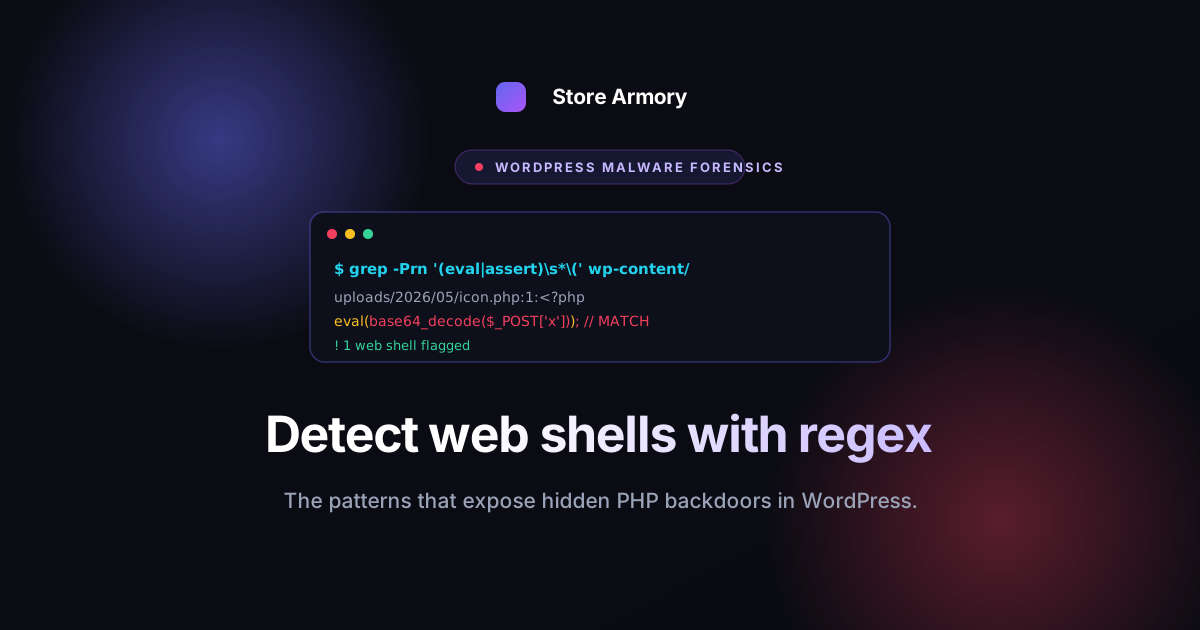
The classic attacker payload is a web shell: a small PHP file that gives remote command execution, often disguised with innocuous names and heavy obfuscation. They hide in uploads folders, masquerade as plugins, or append themselves to legitimate files. Finding them by hand is slow and error-prone, because obfuscation is designed to defeat a casual grep.
A heuristic and signature scanner does the heavy lifting: it flags the tell-tale building blocks of a shell — dynamic code execution, request data flowing straight into an interpreter, base64-and-eval chains, suspicious obfuscation density — rather than relying on a single static string. That heuristic approach is what catches the variants a plain signature would miss.
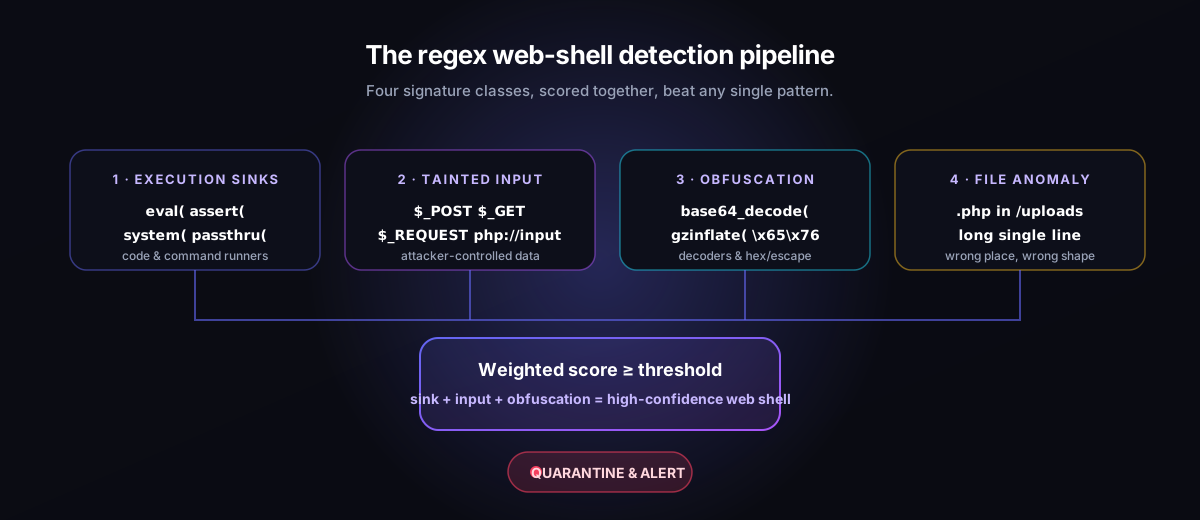
If you want to understand the detection logic in depth, our walkthrough on detecting web shells on WordPress using regex breaks down the exact patterns that matter and why.
Step 3 — Find the persistence
Removing the shell is satisfying but rarely sufficient. Capable attackers plant persistence so a single missed artifact reopens the door. During incident response, hunt the usual hiding places:
- Hidden administrator accounts created outside your normal user flow, sometimes filtered out of the users list.
- Malicious must-use plugins in wp-content/mu-plugins, which load automatically and never appear as activatable plugins.
- Rogue scheduled tasks in WP-Cron that re-download a payload on a timer.
- Poisoned autoloaded options in the database, where injected code or redirect rules ride along on every page load.
- Rogue REST routes and unexpected admin-ajax handlers that act as a quiet command channel.
Each of these is a place Armory Security is designed to surface, so persistence is enumerated systematically instead of being found by luck. That is the difference between eradicating an incident and merely interrupting it.
Step 4 — Preserve the evidence
Before you start deleting, capture what you found. Good incident response produces an evidence trail: what was modified, when, and the hashes that prove it. Armory Security can export its findings as a ZIP or CSV evidence pack, which matters for three reasons — you can hand it to a client or insurer, you can compare it after cleanup to confirm you did not miss anything, and you have a record if the incident has legal or compliance weight (for a store handling card data, it very well might).
Step 5 — Eradicate and recover
With ground truth, the shell, and every persistence mechanism identified and documented, eradication becomes mechanical: remove the malicious files, delete the rogue users and cron events, clean the poisoned options, and restore any tampered core or plugin files from a clean source. Then rotate every secret the attacker could have seen — passwords, salts, API keys, payment credentials — because you must assume anything readable on the server was read.
Finally, close the entry point. Re-run the integrity baseline to confirm the site is clean, patch the vulnerable plugin or theme that let them in, and keep the baseline so the next investigation starts from a position of strength instead of a blank page.
Why tooling makes the difference
None of these steps are new — they are simply slow and easy to get wrong under pressure when done by hand. The value of a purpose-built forensics plugin is speed and completeness: a baseline you can trust, a scanner that catches obfuscated variants, a persistence sweep that checks every hiding place, and an evidence export you can stand behind. Armory Security's free tier focuses on detection so you can find a compromise quickly; the Pro tier adds the response tooling that helps you clean it up and prove it is gone.
If you are responding to an incident now — or, far better, want the tooling in place before one — start with Armory Security for WordPress. The best incident response is the one you have already rehearsed.