Why Customers Abandon Their Carts — and How a Waitlist Wins Them Back
Most WooCommerce carts are abandoned before payment. Here is what really happens when a shopper leaves — and how a back-in-stock waitlist recovers the sale.
Every store owner knows the sting of a cart that never converts. A shopper browses, adds a product, maybe even reaches the checkout — and then vanishes. Across WooCommerce stores, the majority of carts are abandoned before payment. That is not a rounding error; it is the single largest pool of almost-revenue your store will ever see. The good news: a meaningful slice of it is recoverable, and one of the most overlooked recovery tools is a back-in-stock waitlist.
What actually happens when a shopper leaves the cart
When someone abandons a cart, the loss is usually silent. There is no error message, no support ticket, no review — just a closed tab and an empty seat. Behind that quiet exit sits a predictable set of reasons: unexpected shipping costs, a clumsy checkout, a forced account creation, second thoughts on price. But there is one cause that quietly outranks the rest for product-led stores: the item, or the exact variation they wanted, was out of stock.
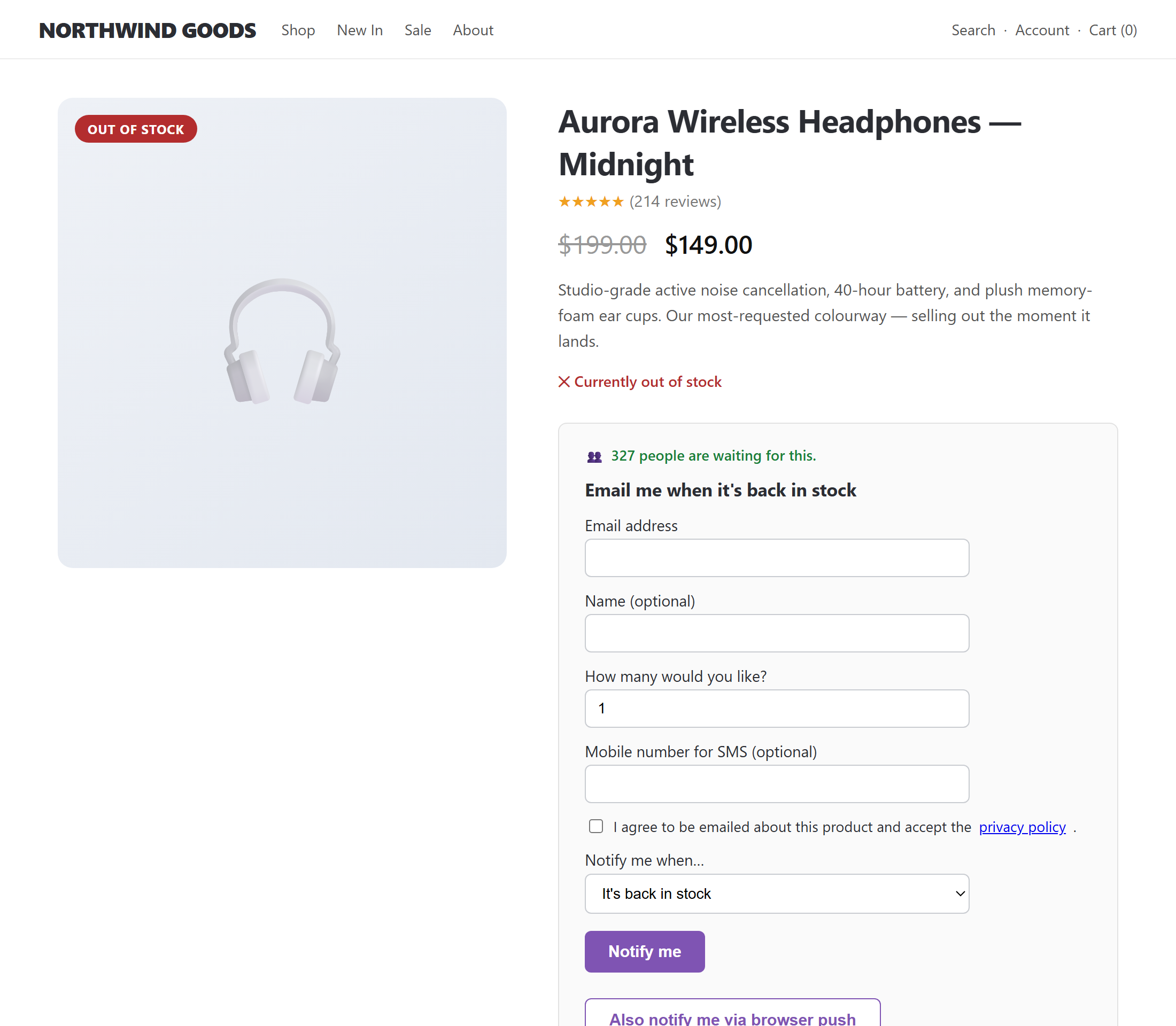
Think about the shopper who wants "Blue / Large." The size and colour they need shows "Out of stock," so they leave. No amount of checkout optimisation helps, because they never had anything to buy. That demand is real, it is specific, and without a way to capture it, it walks straight to a competitor who happens to have the item in stock today.
How a waitlist changes the equation
A back-in-stock waitlist replaces the dead end with a doorway. Instead of an "Out of stock" label and nothing else, the customer sees a simple "Notify me when it is back" form. They enter an email (no account required), and you have just converted an anonymous bounce into a named, interested lead who has told you exactly which product — and which variation — they intend to buy.
The mechanics matter. The strongest waitlist tools track interest per product and per variation, so a shopper waiting on "Blue / Large" is notified only when that exact variation returns, not when any colour comes back. They detect restocks reliably — even when stock changes come from an ERP sync, a CSV import, or a direct database edit that bypasses WooCommerce's own hooks. And when stock returns, they notify everyone waiting through a throttled background queue, so a list of thousands does not time out the server or trip spam filters.
The benefits of running a waitlist
- Recover lost revenue. Every notified-and-converted shopper is a sale you would otherwise have handed to a competitor.
- Capture demand you cannot see. A waitlist is a live demand signal. If 200 people are waiting on a product, that is a reorder decision made for you.
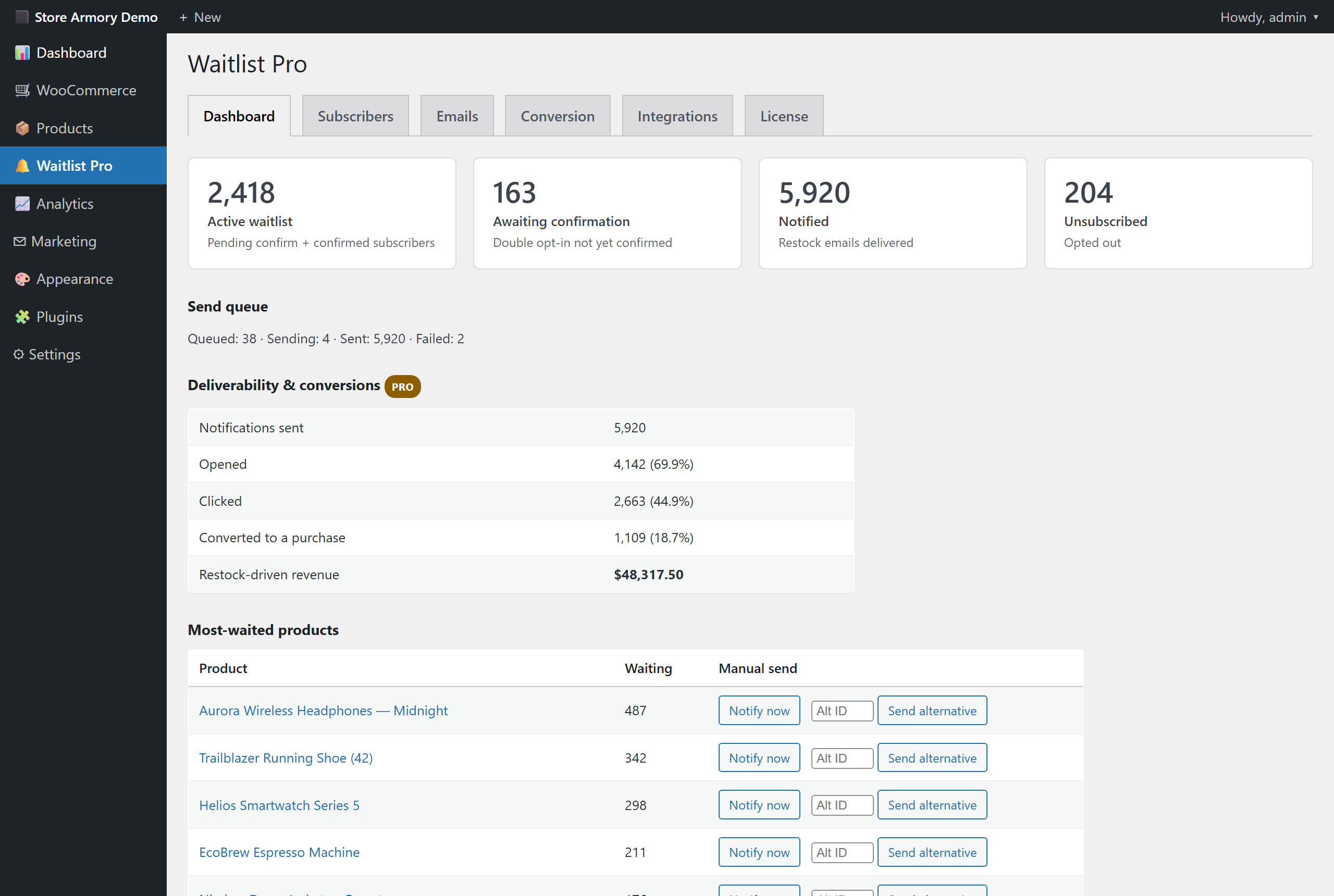
- Reach customers on the channel they actually read. Email, SMS, WhatsApp and web push mean the "it is back" message lands where it gets opened.
- Stay compliant by default. Double opt-in plus a consent audit trail (IP, consent text, timestamp) keeps GDPR tidy without extra work.
- Lower friction. Guests can sign up by email alone; logged-in customers can manage their sign-ups from their account.
What happens, step by step, when someone joins instead of bouncing
Here is the recovery loop a waitlist creates from a moment that used to be a pure loss:
- The shopper hits an out-of-stock product and, instead of leaving empty-handed, joins the waitlist in one click.
- They confirm via double opt-in — protecting your deliverability and proving consent.
- Their interest is recorded against the exact product and variation, with quantity and channel preference.
- Stock returns — whether through WooCommerce, an ERP, or a bulk import — and the restock is detected automatically.
- A background queue sends the "back in stock" notification in safe, throttled batches, often with a one-click link straight back to checkout.
- The customer returns and completes the purchase you nearly lost.
Measure what you recover
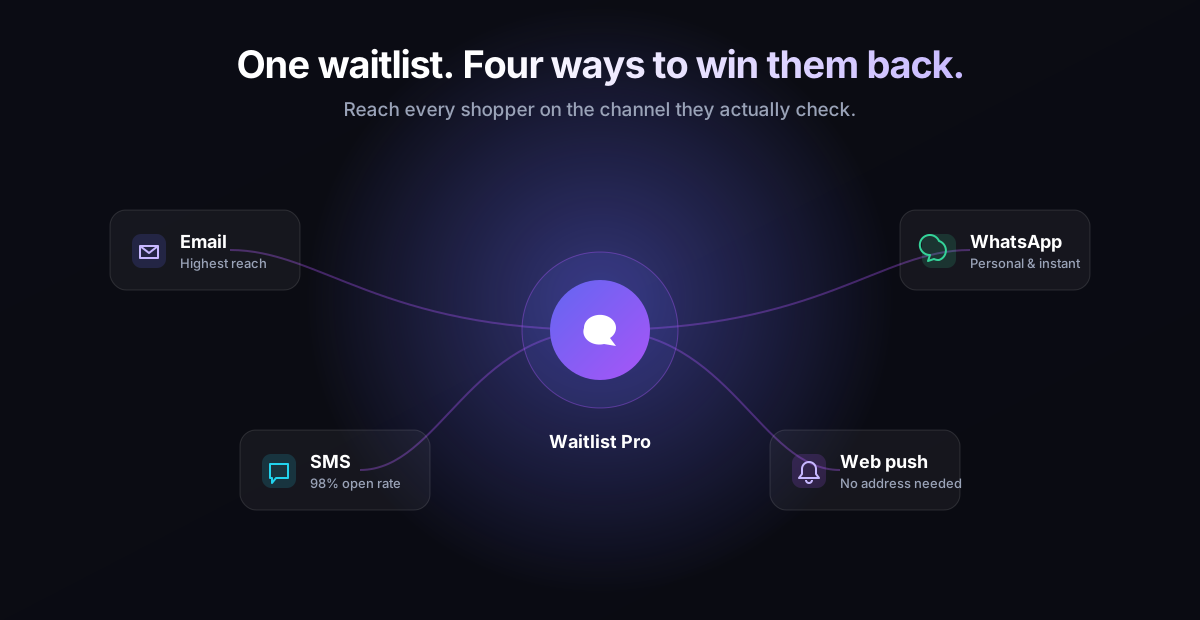
Recovered revenue only counts if you can see it. A good waitlist attributes conversions back to the sign-up that triggered them, so your dashboard reports not just how many people signed up, but how many came back and bought, and how much that was worth. That turns "we have a waitlist" into "the waitlist recovered this much revenue last month" — a number you can take to a reorder conversation or a marketing budget.
Beyond the basic restock alert
Once you are capturing demand, you can do more with it. Price-drop alerts let shoppers ask to be told when a watched product gets cheaper. Reserve-and-checkout magic links and a short stock-hold window give waitlisters first claim on returning inventory, so the people who waited are rewarded instead of beaten to it by faster browsers. Referral boosts let waiting customers move up the queue by sharing, turning your most eager shoppers into a small organic growth engine. And re-engagement nudges gently follow up with anyone who was notified but did not return.
For a deeper look at the out-of-stock side of this, see our guide on turning "out of stock" into your next sale. If you want the full toolkit — per-variation tracking, multichannel sending, conversion reporting and growth features — that is exactly what StoreArmory Waitlist Pro for WooCommerce is built to do.
The takeaway
Cart abandonment is not one problem; it is many. But for stores that sell real, physical products, a surprising amount of it traces back to a single fixable moment: a customer who wanted something you did not have in stock right then. A waitlist turns that moment from a silent loss into a captured lead, a measurable conversion, and a demand signal you can act on. It is one of the few growth tools that pays you back twice — once in recovered sales, and again in knowing exactly what to restock next.