Turn "Out of Stock" Into Your Next Sale With WooCommerce Waitlists
Every "out of stock" label is a missed sale. Here is how a WooCommerce back-in-stock waitlist captures that demand and wins shoppers back automatically.
Picture the moment a shopper finally finds the exact product they want — right size, right colour, right price — and then sees two words that end the visit: Out of stock. They close the tab. No email, no follow-up, no second chance. For most WooCommerce stores this happens dozens of times a day, and every one of those visits was a customer who was ready to buy.
The good news: an out-of-stock product isn't lost revenue, it's proven demand waiting to be captured. The trick is collecting that interest the instant it appears and acting on it the instant you can fulfil it. That's exactly what a back-in-stock waitlist does.
Why out-of-stock pages quietly drain your revenue
When a product sells out, the default WooCommerce behaviour is simply to hide the Add to Cart button. The shopper is left with a dead end. A few problems compound from there:
- The intent evaporates. Purchase intent is highest the moment someone lands on the product page. Make them remember to check back later and most never will.
- You're guessing at demand. Without a signal, you don't know whether to reorder 10 units or 1,000. You're reordering blind.
- Competitors are one search away. If you can't sell it today, the next store in the search results can.
A waitlist flips all three. It turns a dead end into a data point, a follow-up, and a recovered sale.
How a back-in-stock waitlist works
The flow is simple, and that simplicity is the point:
- A product sells out, and instead of a dead end the shopper sees a short “Email me when it's back in stock” form.
- They drop in their email (or phone number) in one tap — no account required.
- The moment you restock, every person on that list is notified automatically, in the order they signed up.
- They click straight back to a product page that now has a working Add to Cart button.
No spreadsheets, no manual emails, no “we'll let you know” promises you have to remember to keep. The system does the remembering for you.
Reach shoppers where they actually look
An email sitting unopened doesn't recover a sale. The stores that win are the ones that meet customers on the channel they actually check — which is why multi-channel notifications matter.
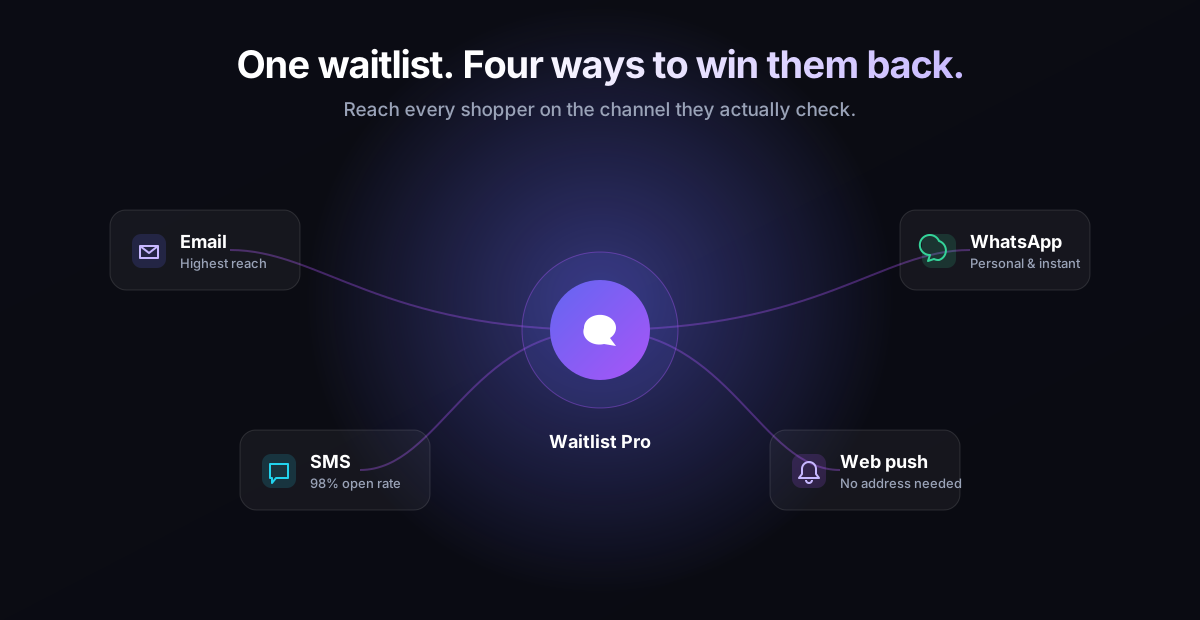
- Email — the workhorse: highest reach, perfect for a clear restock announcement with a direct buy link.
- SMS — near-instant and almost always opened, ideal for limited stock or fast-moving items.
- WhatsApp — personal and conversational, with the highest engagement in many markets.
- Web push — no email or phone number needed; a single click subscribes the shopper and reaches them even after they've left your site.
Offering more than one option means you capture the shopper who would never hand over an email but happily taps “notify me” on web push — and vice versa.
The hidden bonus: demand data for smarter reordering
Beyond recovering individual sales, a waitlist hands you something most stores never have: a ranked list of what your customers want most. A product with 300 people waiting is a louder buy signal than any forecast. You can:
- Prioritise restocks by real demand instead of gut feel.
- Justify larger reorders with hard numbers.
- Spot trends early — a sudden spike on one variant tells you where the market is heading.
Getting it right: a few best practices
Keep the form frictionless
One field, one button. Every extra box you add costs you sign-ups. Ask for the email (or let them choose a channel) and nothing else.
Notify fast, and notify fairly
Speed wins, but so does fairness. Notifying in sign-up order rewards your most eager customers and avoids the bad feeling of “I was first in line and it sold out again.”
Make the message do the selling
A great restock alert is short, links directly to the product, and creates gentle urgency — “back in stock, limited quantity” beats a flat “now available.”
Respect consent
Only message people who asked to be messaged, make opting out trivial, and you'll keep both your deliverability and your reputation healthy.
From dead end to next sale
Out-of-stock products aren't a problem to hide — they're demand you haven't collected yet. Put a waitlist on every sold-out item, notify across the channels your customers actually use, and you'll recover sales you're losing right now while building a demand map that makes every reorder smarter.
That's the entire idea behind Waitlist Pro for WooCommerce: capture shoppers the moment a product sells out, then bring them back automatically by email, SMS, WhatsApp and web push the instant it's available again. If you're ready to stop letting “out of stock” cost you sales, see how it works.